For Schoology and Canvas
Backyard Brains neuroscience labs, inside the LMS your class already uses
Teachers add a Backyard Brains lesson from their course. Students click it and land on the lab, with Spike Recorder settings for that experiment already laid out. There are no new accounts or logins, and no student data is collected.
Set it up for your school Email us
How it works
Teachers
Add a lesson in two clicks
In Schoology, choose Add Materials. In Canvas, create an assignment and pick the external tool. Choose the Backyard Brains lesson and it appears in your course like any other material.
Students
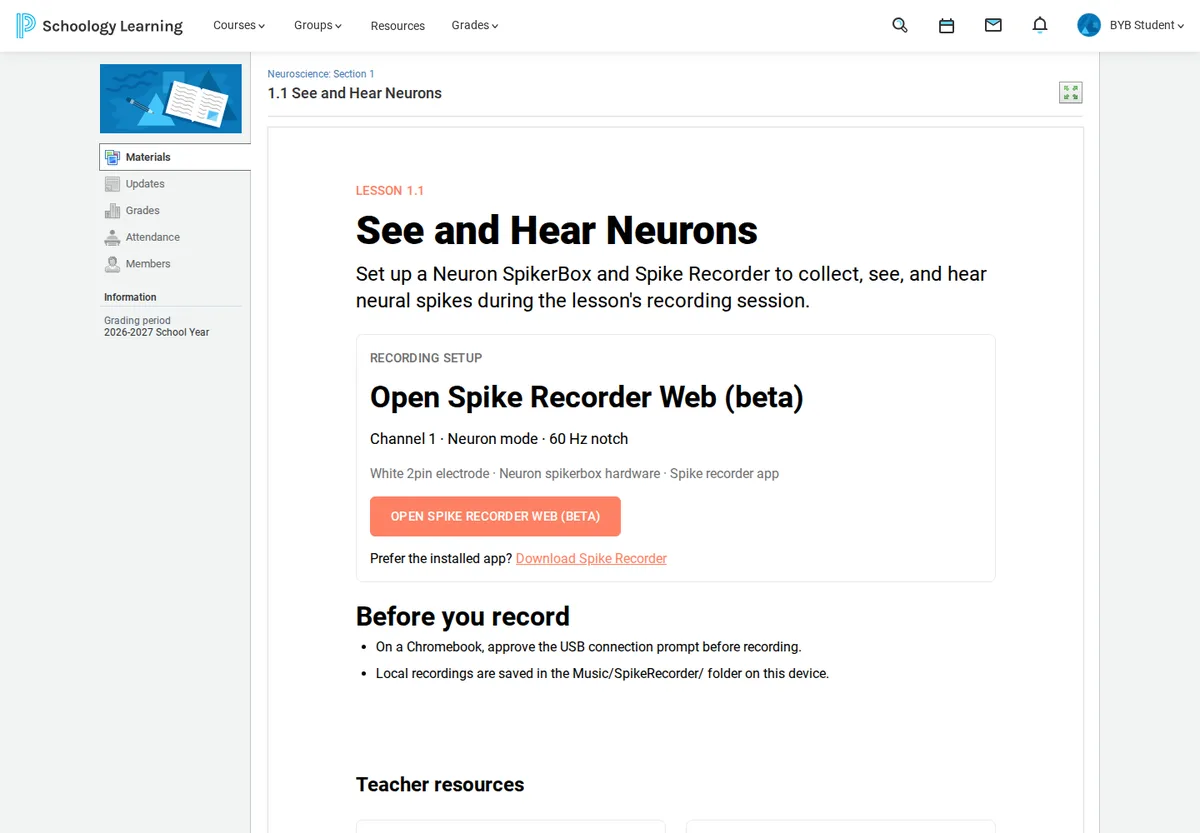
Open it and start recording
The lesson page shows the exact recording setup and opens Spike Recorder Web, or points to the installed app. Recordings stay on the student's device.
Schools
One-time install by your LMS admin
Your admin adds the app once using the values on our setup page, and we switch it on for your school.
What's available now
- Lesson 1.1, See and Hear Neurons, for the Neuron SpikerBox with Spike Recorder. More lessons from the Backyard Brains curriculum will follow.
- Schoology (tested end to end) and Canvas, using the LTI 1.3 standard with Deep Linking.
- No grades, rosters, or student names are sent to Backyard Brains. See Privacy.